Your words.
Your pace.

Prepare your script and practice talks with word-by-word guidance on iPhone, iPad, and Mac.

Explore the app

Coming soon to the App Store

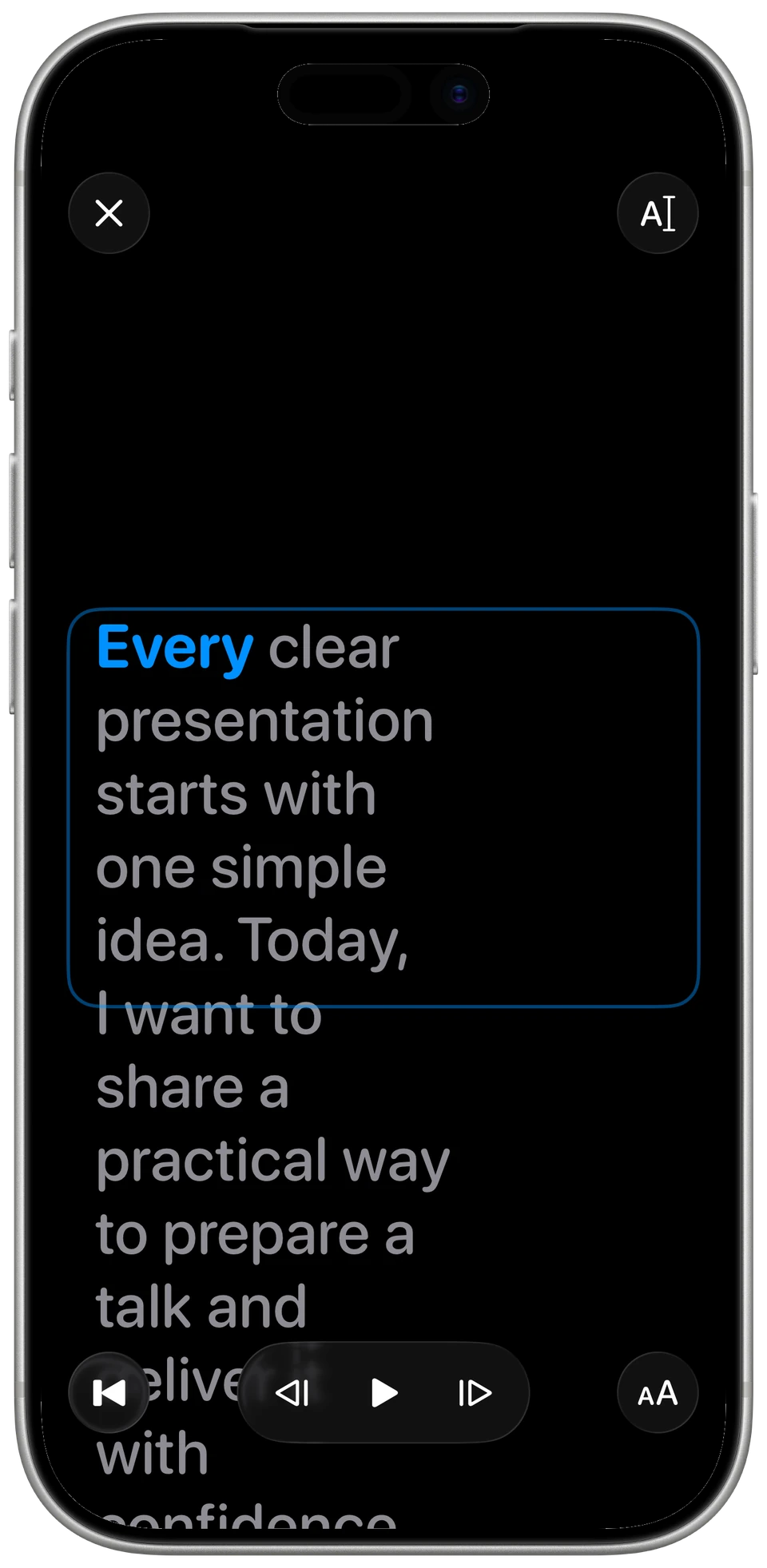
iPhone reader with a blue active word and pause, reset, and reading settings controls.
The real iPhone reader. Ready when you are.

From first draft to a clearer delivery.

Prepare your next talk.

Write, search, and organize scripts. Break longer talks into cards.

Keep a lesson, presentation, or speaking notes together in your library, ready for the next rehearsal.
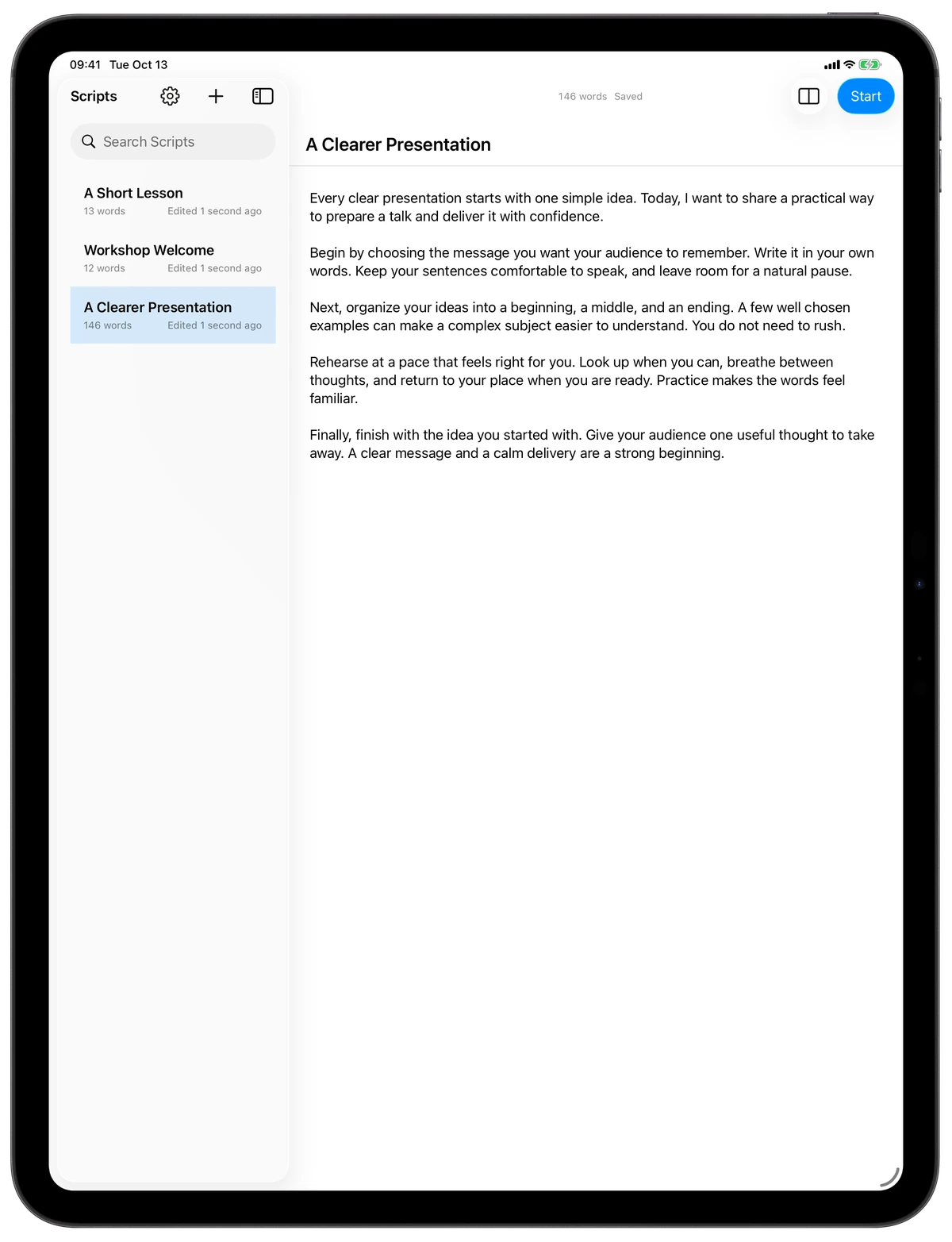
iPad script library beside the saved script A Clearer Presentation.
Your library and writing space on iPad.

Keep your place.

Follow word-by-word highlighting at the pace you choose. Pause, resume, and switch between Continuous reading and Cards.

Return to an unfinished rehearsal where you left off. Editing the script gives you a fresh start.
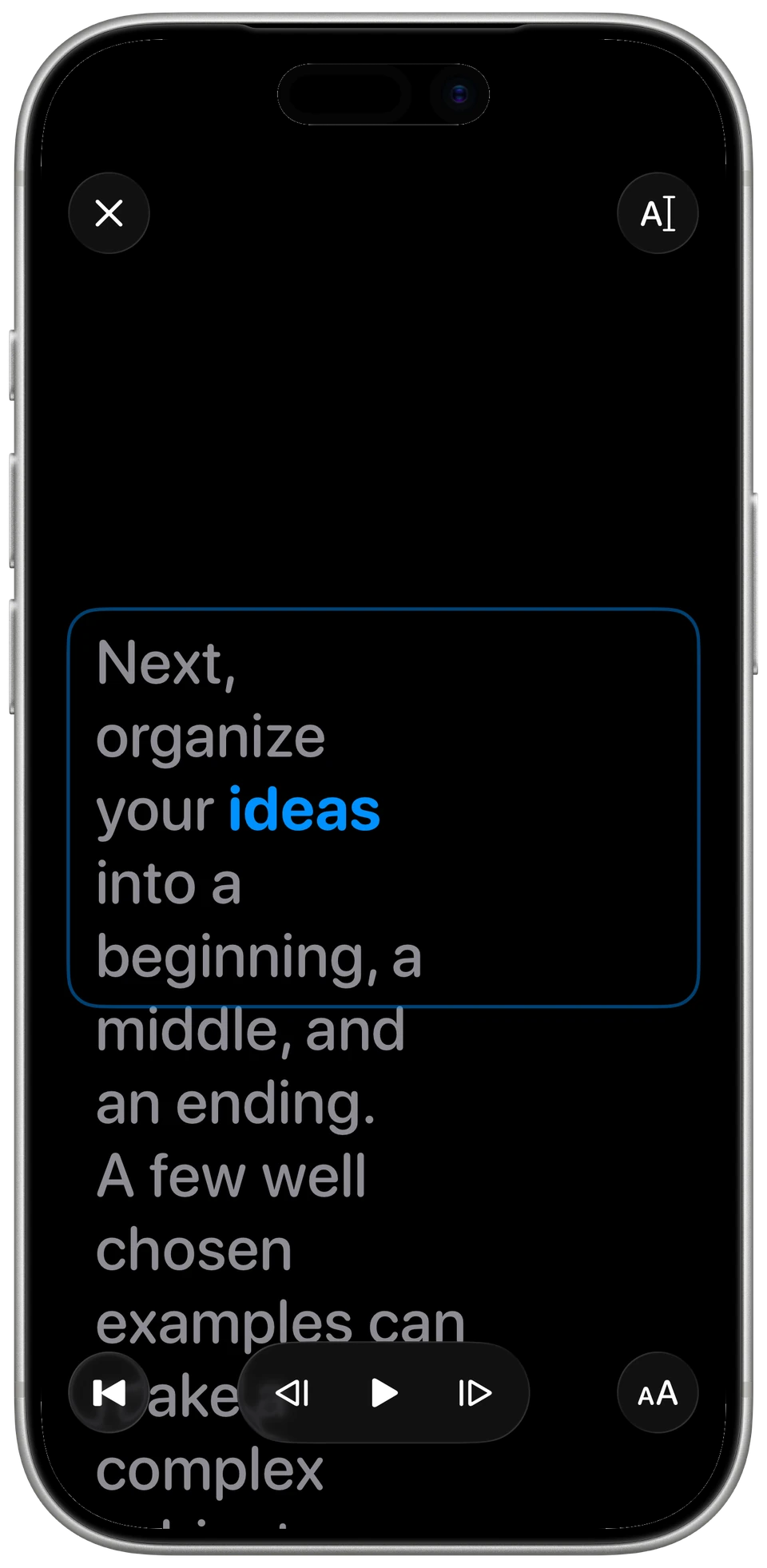
Cards reading on iPhone, showing one part of a talk with word guidance and playback controls.
Cards on iPhone. One part at a time.

Make reading comfortable.

Adjust text size, line spacing, highlighting, and reading pace.

The reader opens paused. Take a breath, press Play, and settle into your own rhythm.
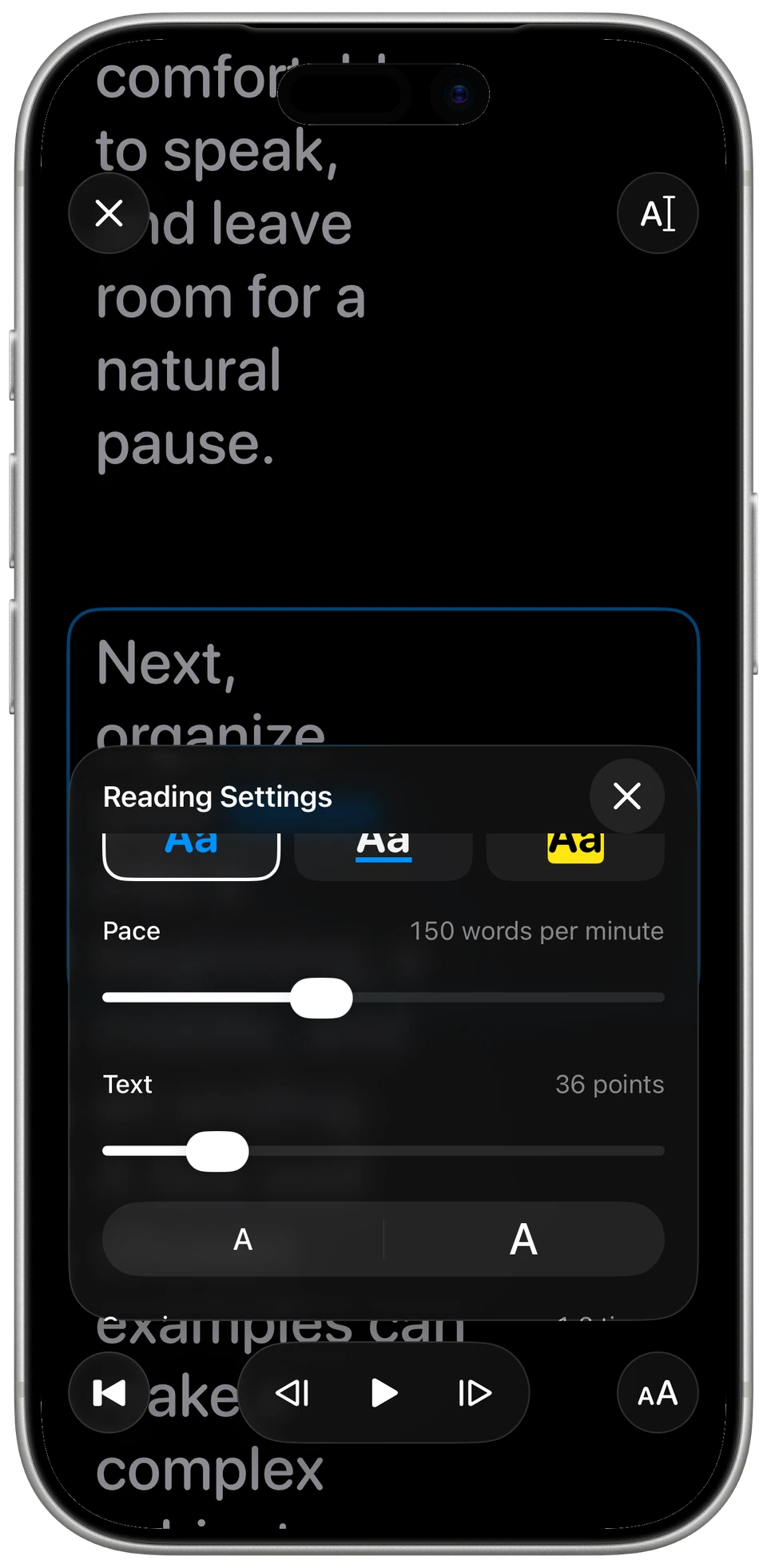
iPhone Reading Settings with highlight choices, pace, text size, and smaller and larger text buttons.
Real reading settings, close at hand.

Ready wherever you rehearse.

Full-screen reading on iPhone and iPad.
A separate reader window on Mac.
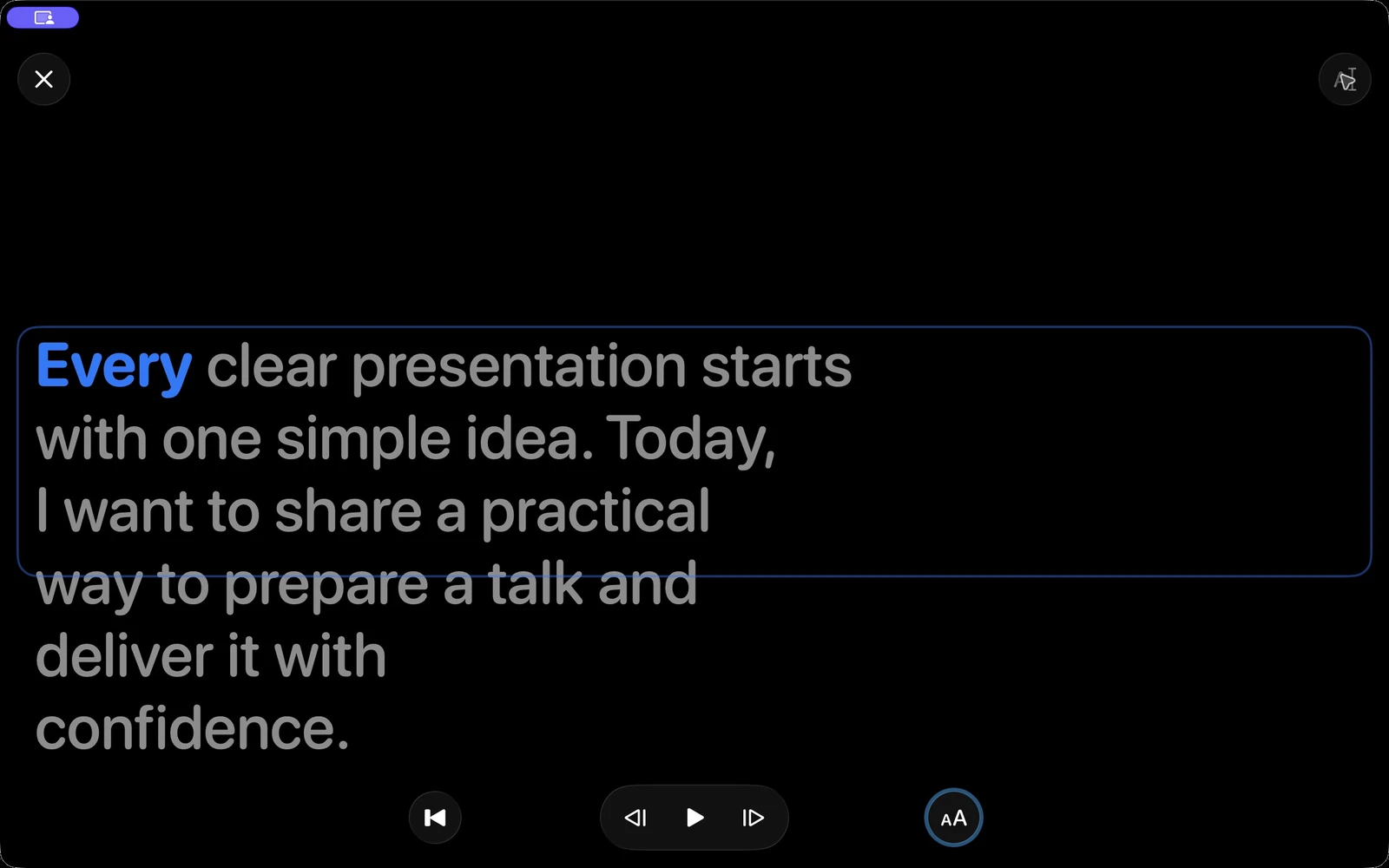
Native Mac reader window with a highlighted word and separate playback and reading settings controls.
The native Mac reader. Your words, with room to breathe.

Read offline.

Keep scripts on your device and rehearse without an internet connection. No microphone permission or speech-model download is needed for manual reading.

Five interface languages.

English, German, Spanish, French, and Russian. Choose the interface that feels familiar, then focus on what you want to say.

A few things to know.

Does it follow my voice?
This first release uses the reading pace you choose. Voice following and recording are not included.
Do scripts sync between devices?
Scripts stay on each device. Sync and import/export are not included. Keep a separate copy of important scripts.
Is it free?
The first release is free and requires no account. There are no subscriptions or in-app purchases in this release.
How do I get started?
Write a script, open the reader, and press Play when you are ready. Visit Support for a short walkthrough.